Scalable Brand Expression
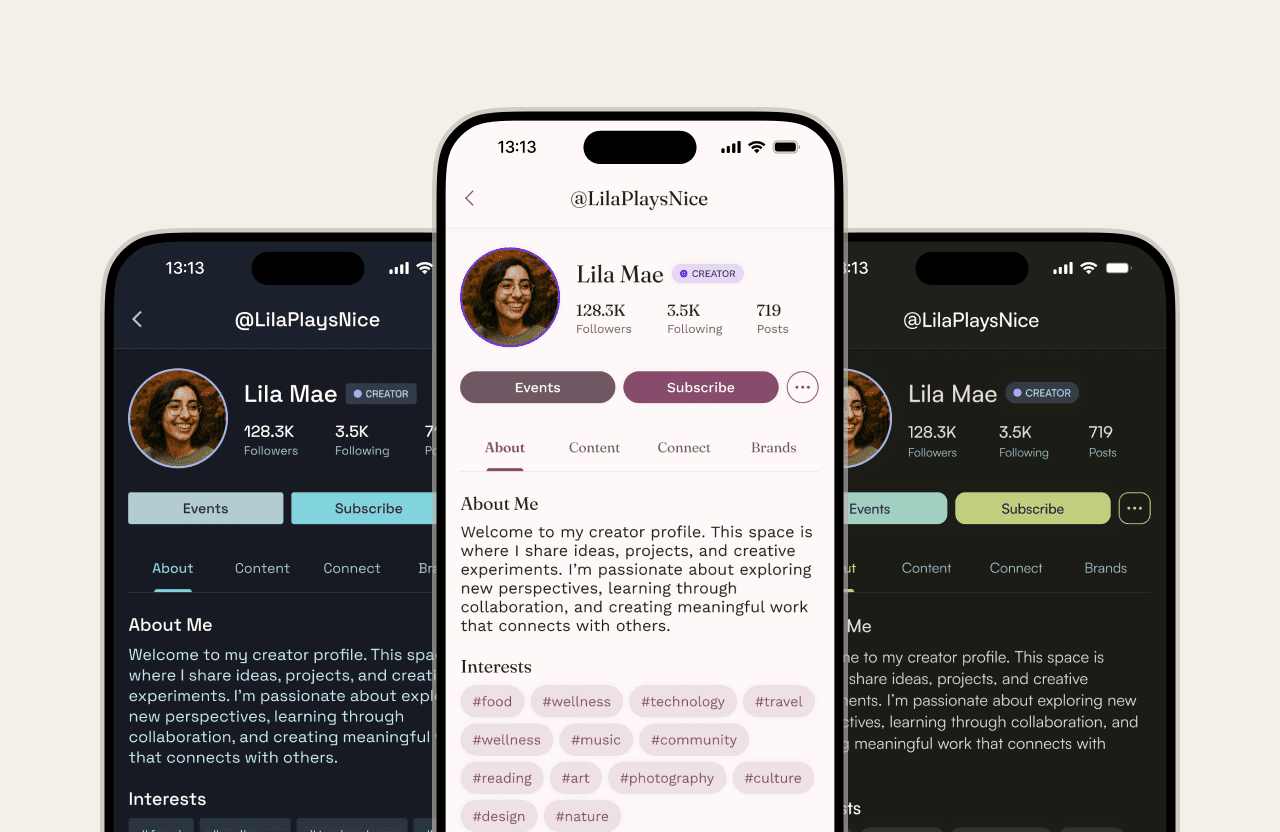
Arcatar enables creators and organizations to launch private-label platforms where their content, community, and commerce live under one brand. Each platform needed to feel distinctly theirs while preserving the clarity, hierarchy, and trust of the product beneath it.
My role was to design a customizable design system that balanced creative freedom with structure. The goal was not limitless control, but a flexible framework that could stretch to fit any brand without compromising usability or accessibility.
WHAT I DID
Design systems / Customization framework / Design tokens / Accessibility logic / UX research / Creator interviews
TOOLS
Figma / FigJam / Material Theme Builder
YEAR
2025
CLIENT
Arcatar
The Challenge
A single visual identity could not serve every brand. Some owners had full guidelines, while others needed simple, guided setup. The system had to support both without fracturing consistency or increasing maintenance cost.
Key Challenges
• Accommodating varying design skill levels
• Balancing flexibility with visual consistency
• Maintaining readability and accessibility
• Ensuring long-term scalability for engineering
Research & Insights
To understand expectations around customization, I combined competitive research with creator interviews. This revealed where existing tools fell short and what our users valued most.
Competitive Analysis
Wix flags accessibility issues but requires manual fixes
Shopify provides guidelines but few guardrails
Webflow offers full control with minimal safeguards
These gaps revealed an opportunity to embed accessibility and good design principles into the system itself.
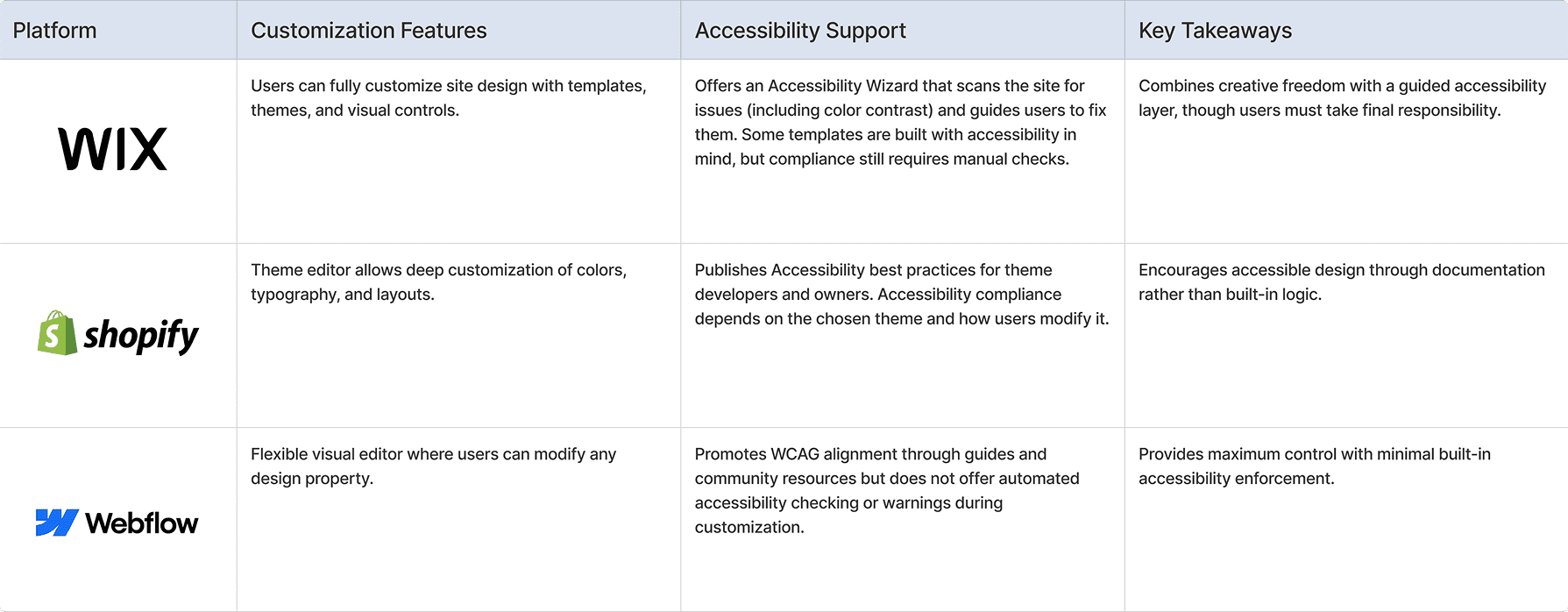
Competitive analysis for brand customization
Creator Interviews
We spoke with streamers, educators, athletes, and community leaders. Their feedback shaped a system that meets users where they are, regardless of design experience.
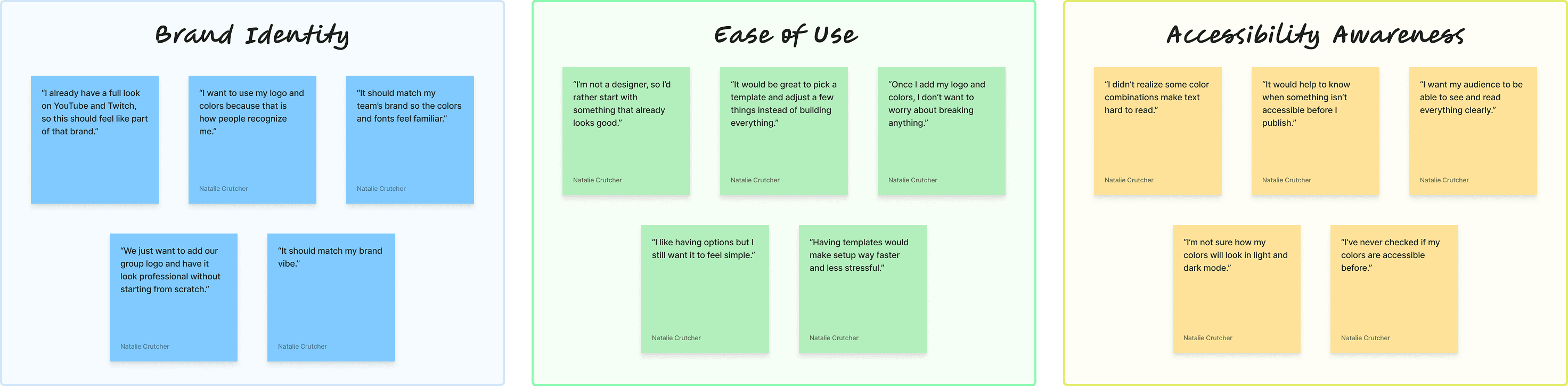
Insights from creator interviews
Key Takeaways:
80%
wanted visual alignment with their existing brand
60%
struggled to understand accessibility implications
3 out of 4
preferred guided templates over starting from scratch
Customization Framework
Testing revealed two primary mindsets: creators who wanted a quick, guided start and creators who wanted deeper control. I designed a tiered system that supported both.
Guided Themes offered a fast, reliable starting point for beginners.
Advanced Controls allowed experienced users to fine-tune color, typography, icon weight, and corner radius.
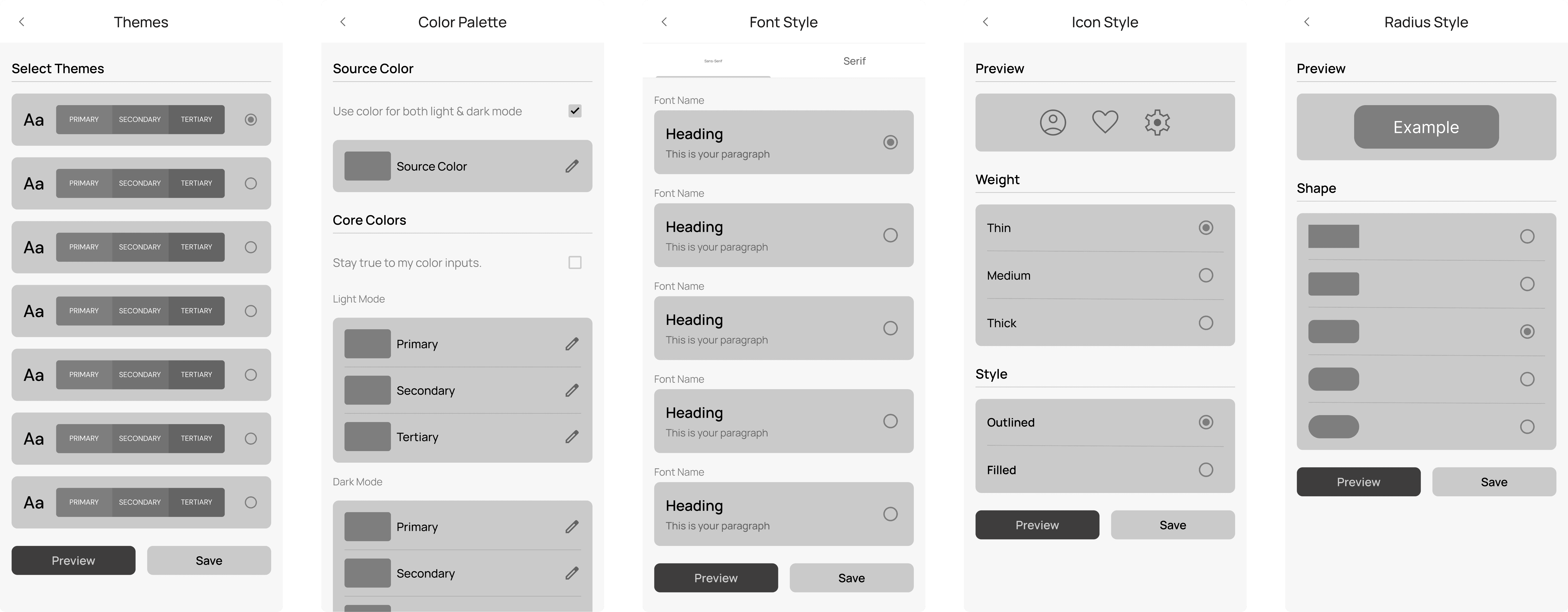
Early wireframes outlined the core structure and flow of the customization process.
Designing For Mental Models
To reduce cognitive load, controls were structured the way creators naturally think — themes first, refinements second. This helped users understand the system without needing design terminology or technical knowledge.
Token-Driven System Foundations
Once the framework was established, we focused on scalability. I built a token-based system that defined color, typography, icon style, and corner radius across every private-label platform.
Why Tokens Mattered
• They allowed brands to express identity without fragmenting the product
• They maintained hierarchy, spacing, and interaction patterns
• They gave engineering a predictable, maintainable foundation
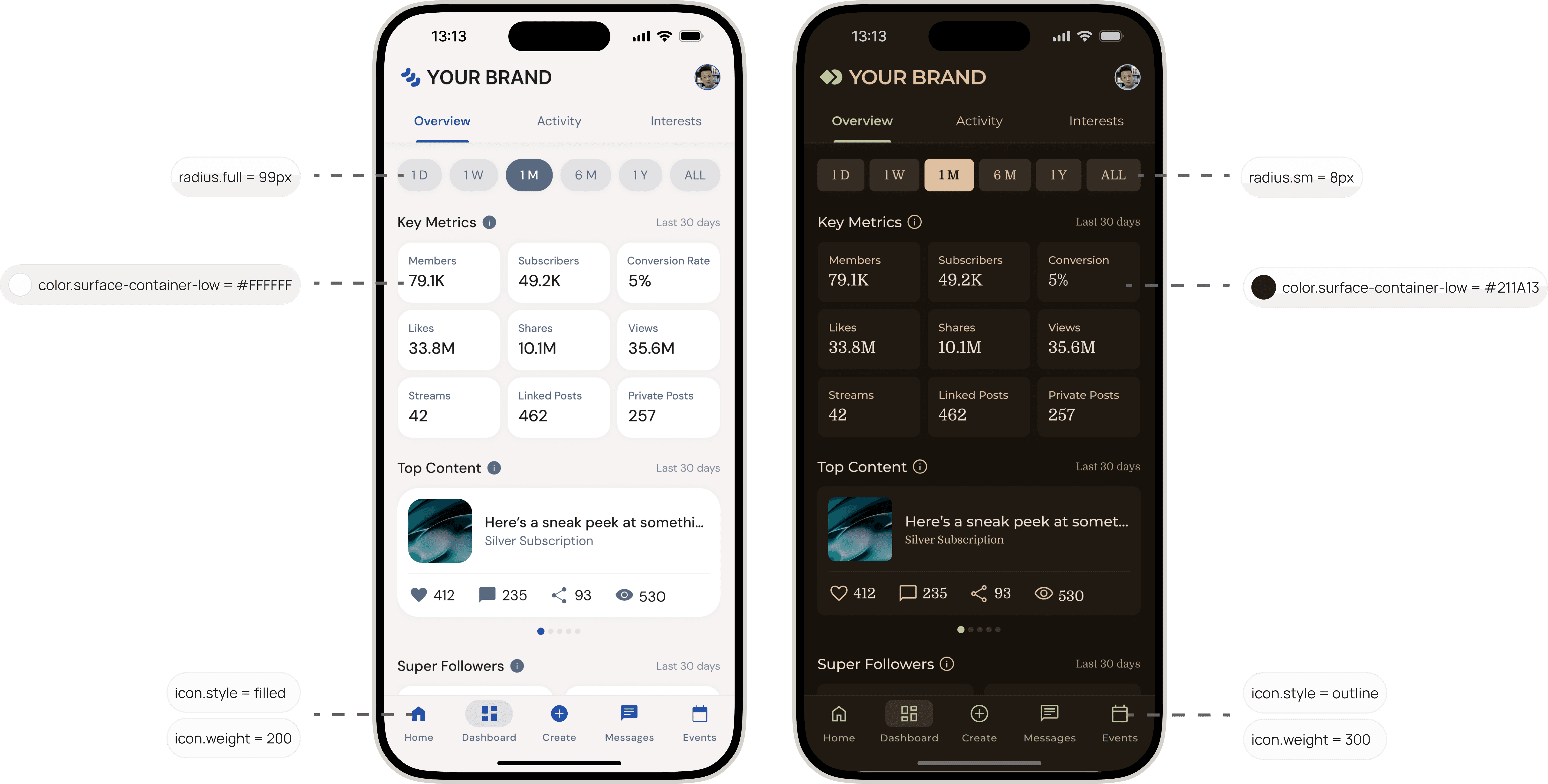
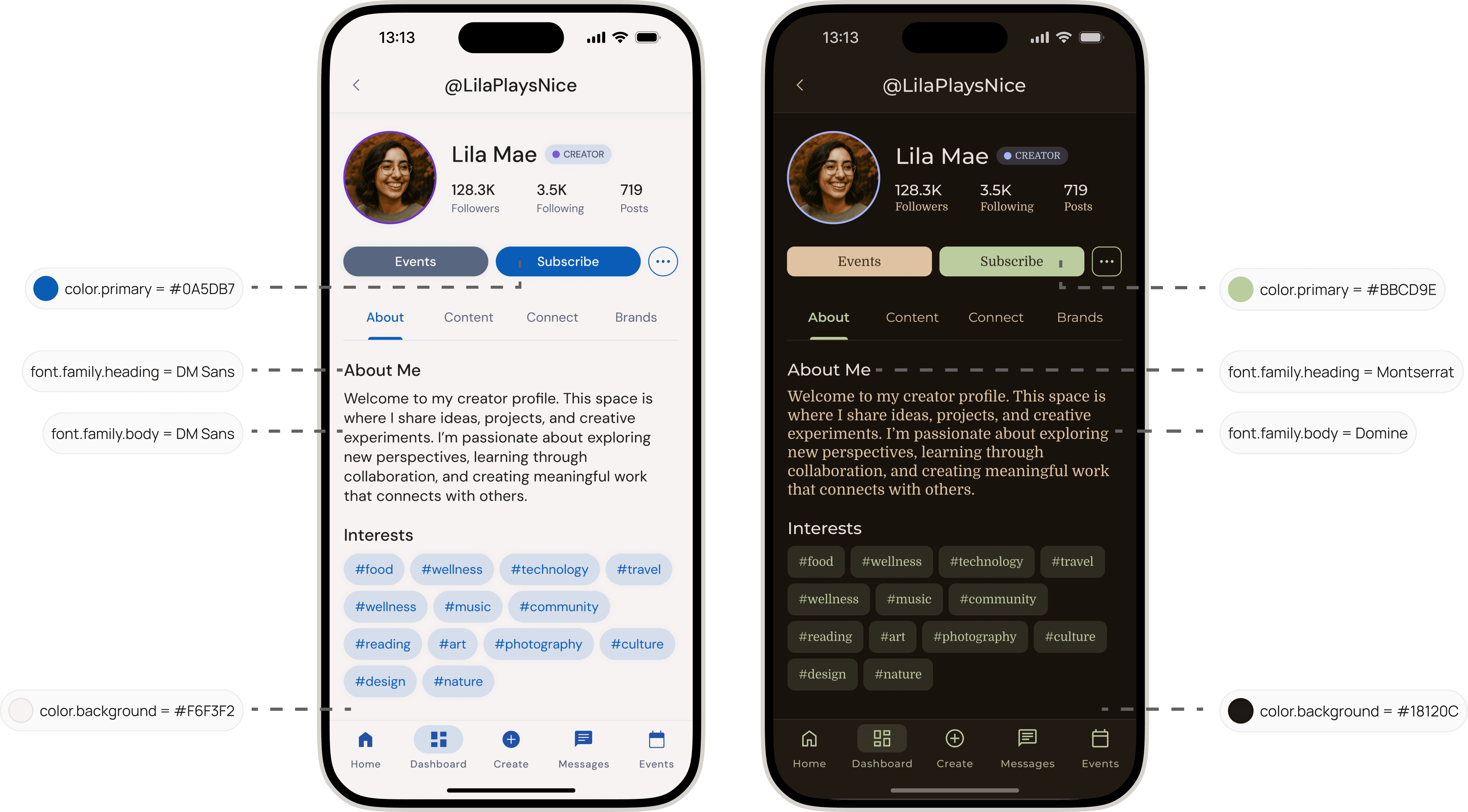
Default theme (left) compared to a customized version (right) showing updated design tokens.
Mapping Decision Impact
Because tokens cascade across the entire system, I defined how each change flowed through components and surfaces. This ensured predictable results and prevented one-off inconsistencies.
Solution
The final system gave every brand owner a clear, guided path to make the platform their own. Users could start from a ready-made theme or customize tokens for color, typography, icon weight, and corner radius. A live preview feature showed changes in real time, building confidence before publishing.
Built-In Accessibility and Guardrails
To help creators make confident design decisions, the system automatically generated accessible color palettes using logic inspired by Google’s Material Theme. When users pushed values beyond safe contrast thresholds, gentle warnings surfaced to explain the impact on readability. These cues made accessibility feel supportive rather than restrictive and strengthened trust in the final result.
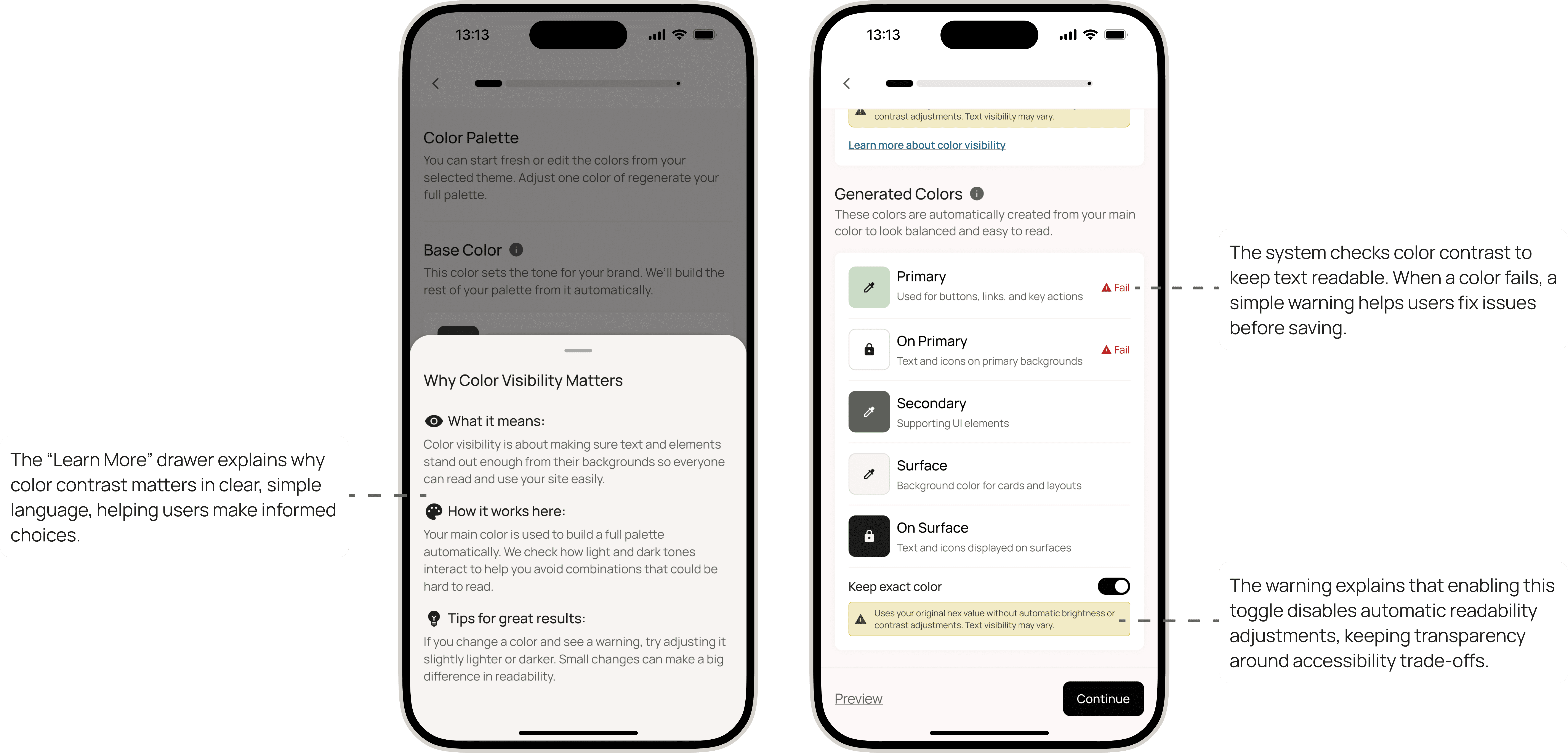
Accessibility info helps creators build color palettes that stay readable and inclusive.
These built-in guardrails protected clarity and readability, allowing creators to focus on expression without second-guessing design decisions.
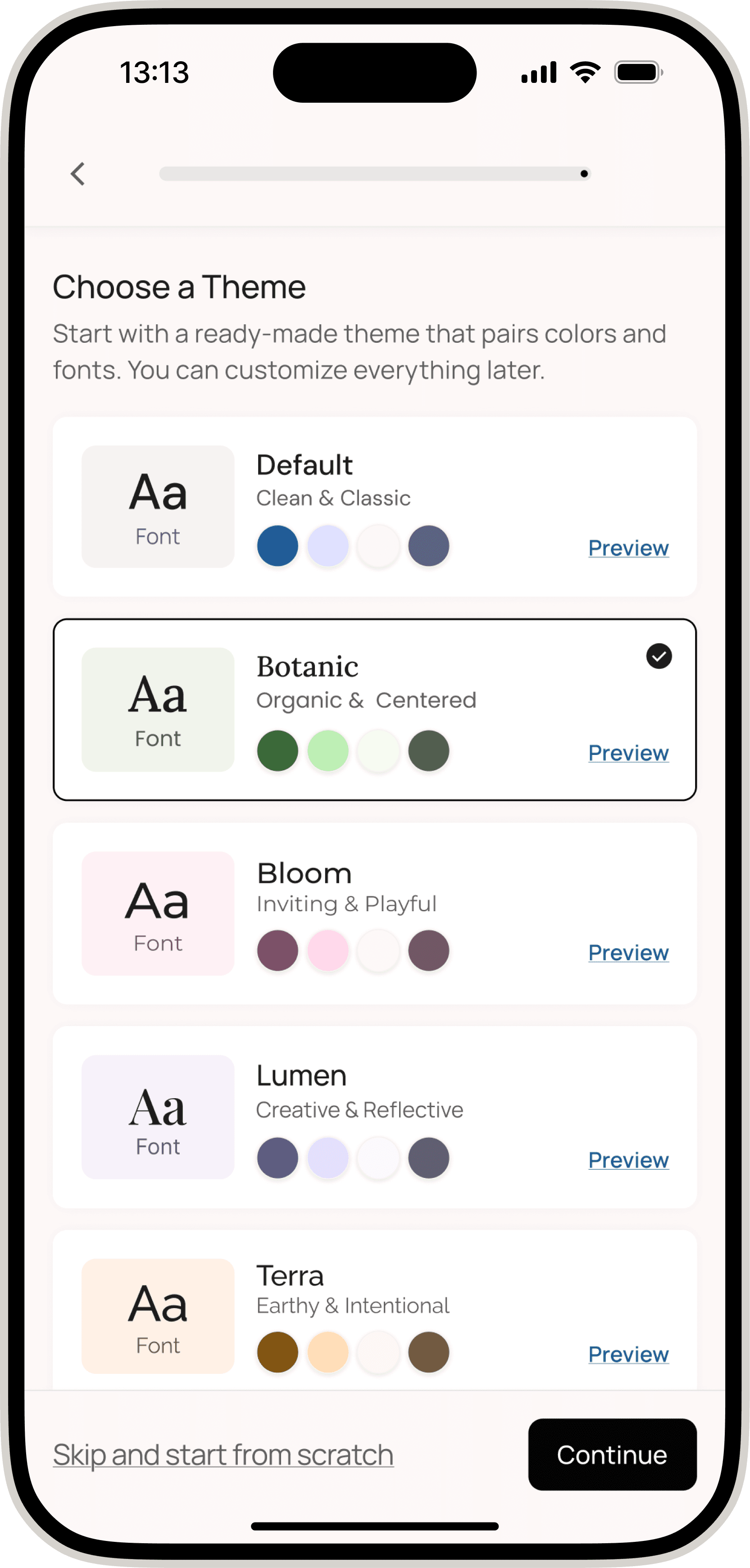
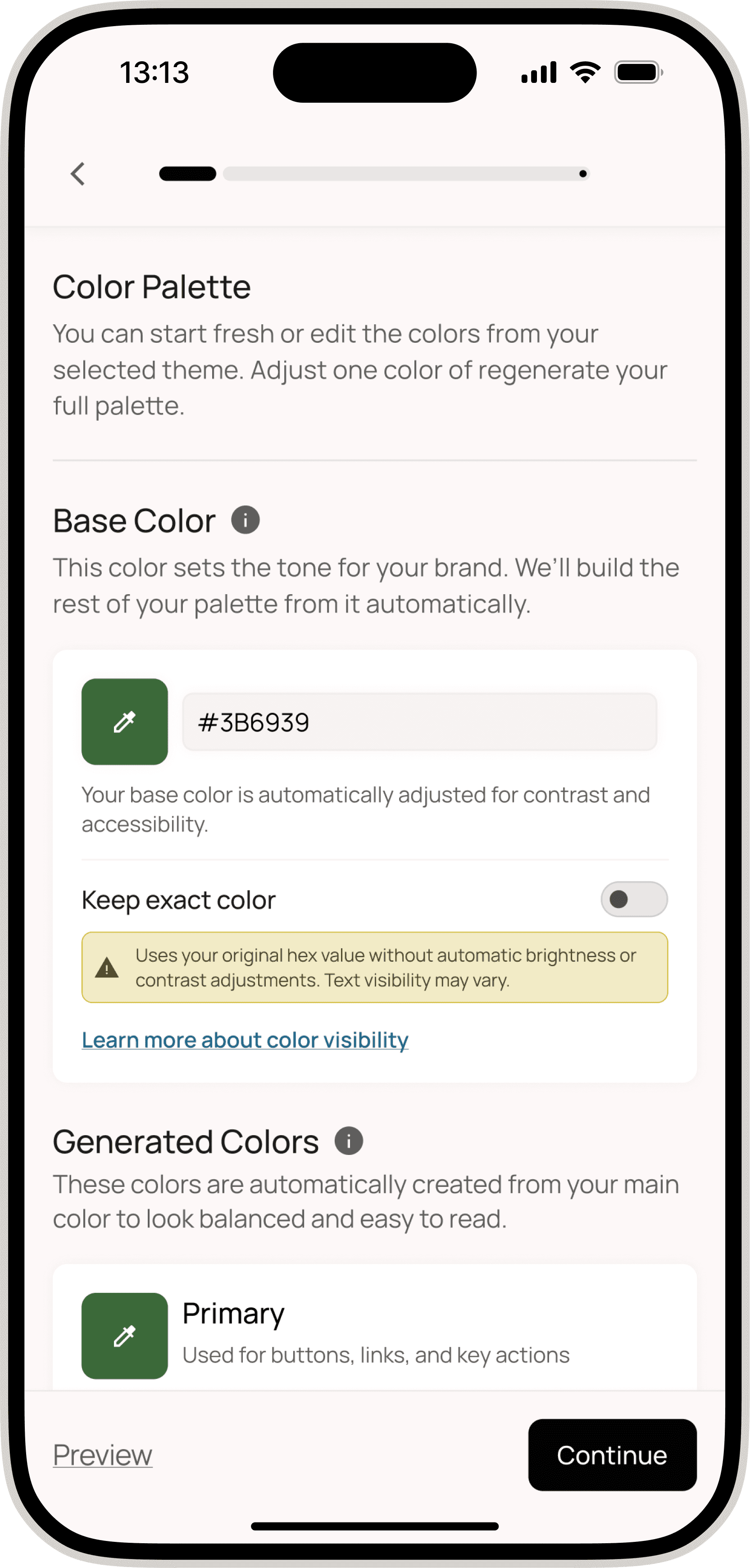
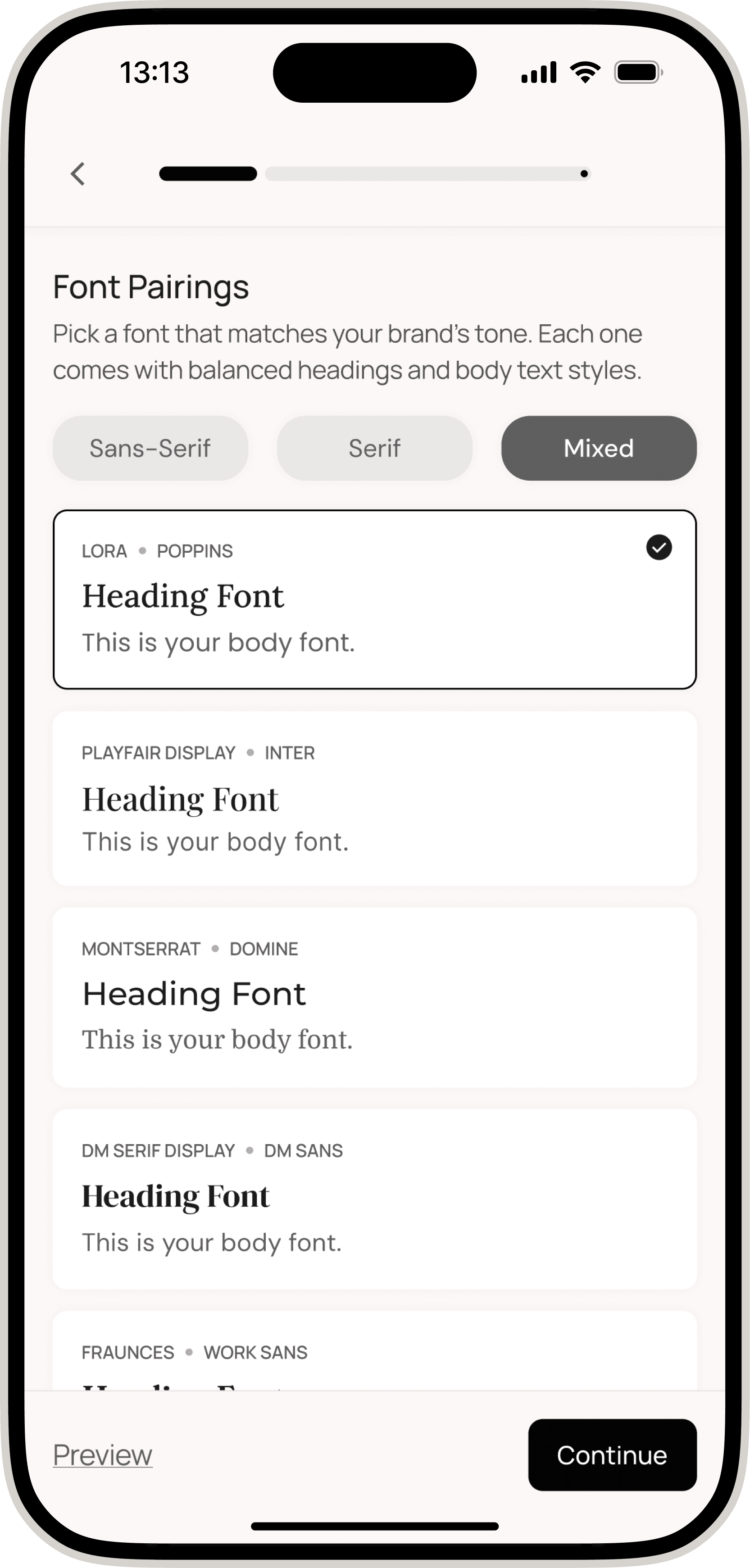
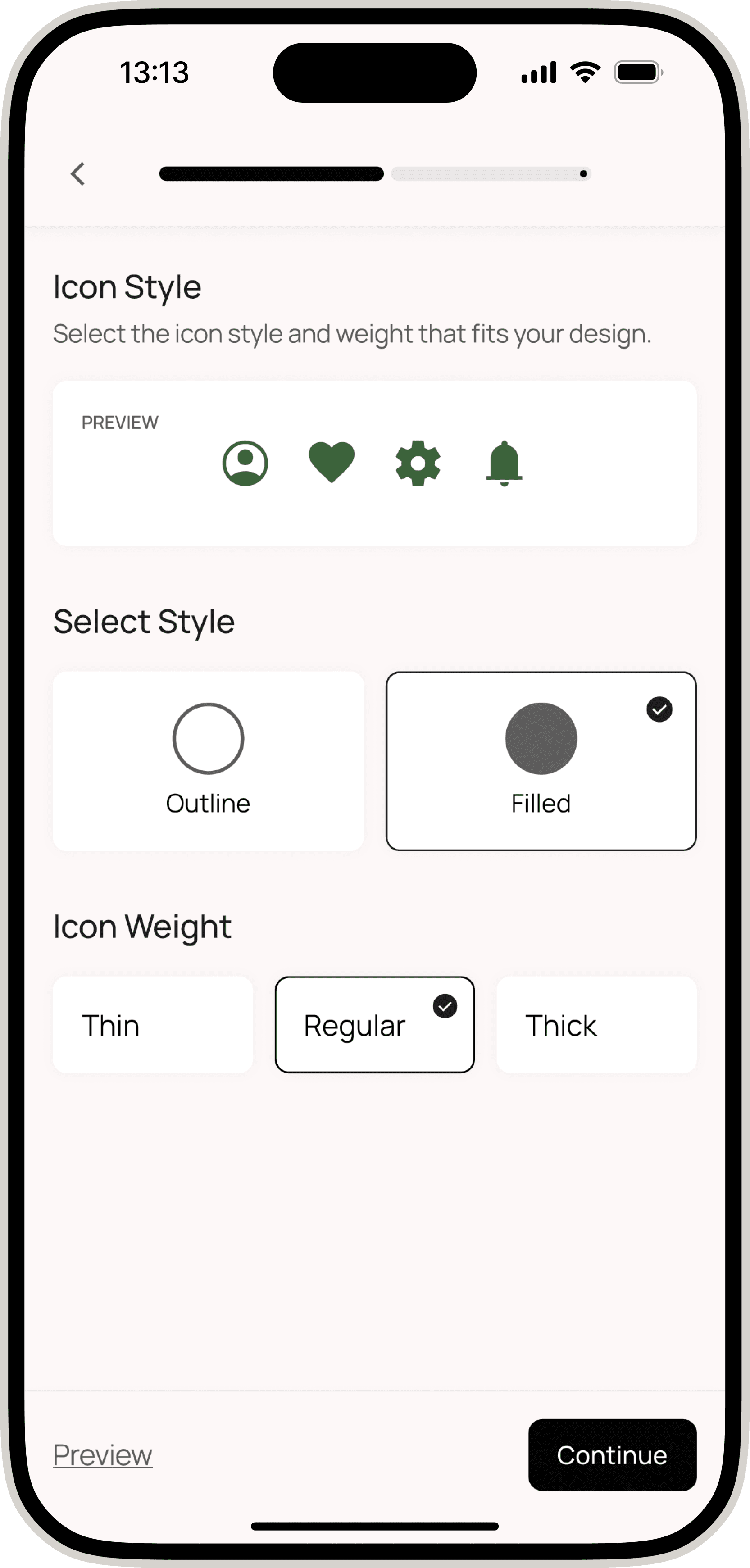
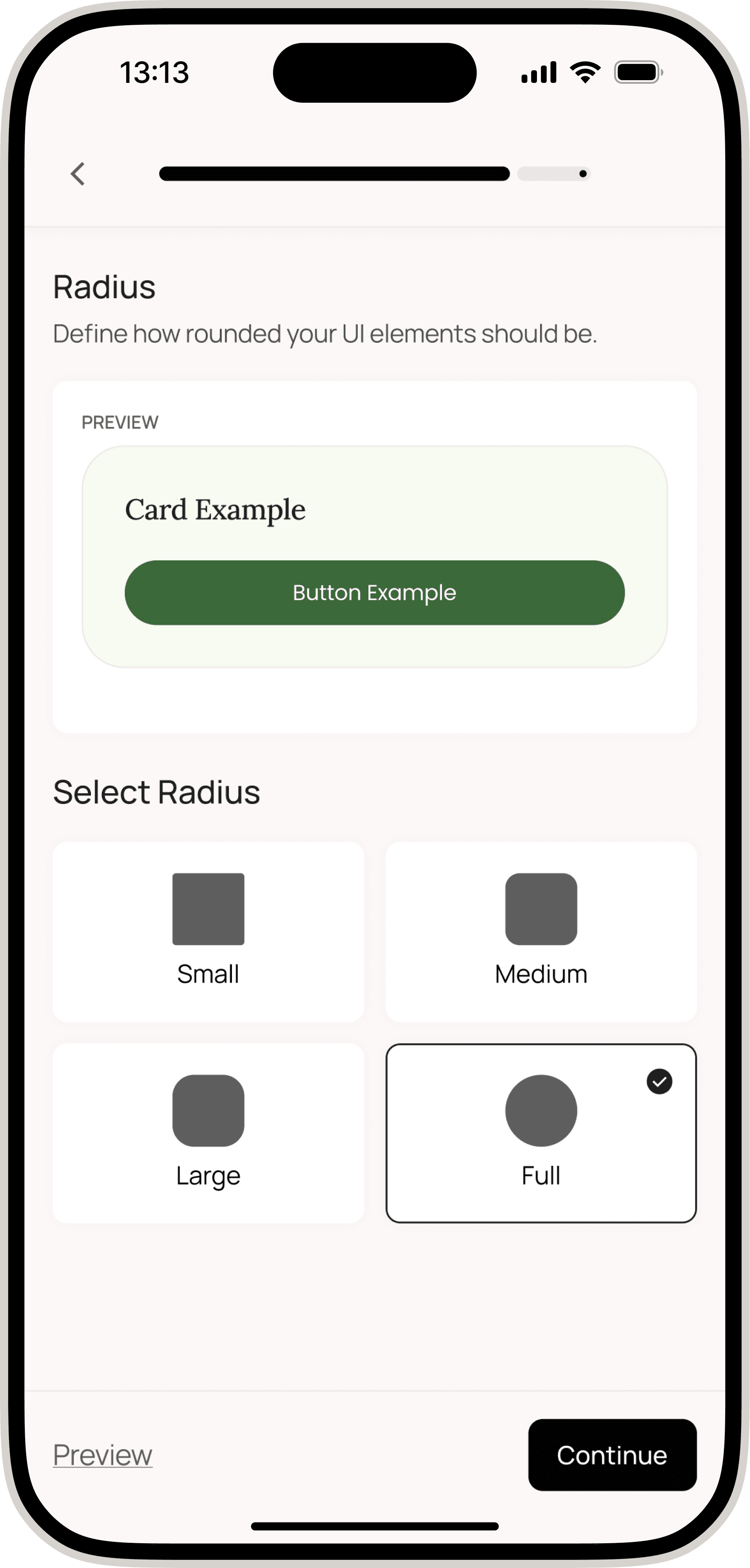
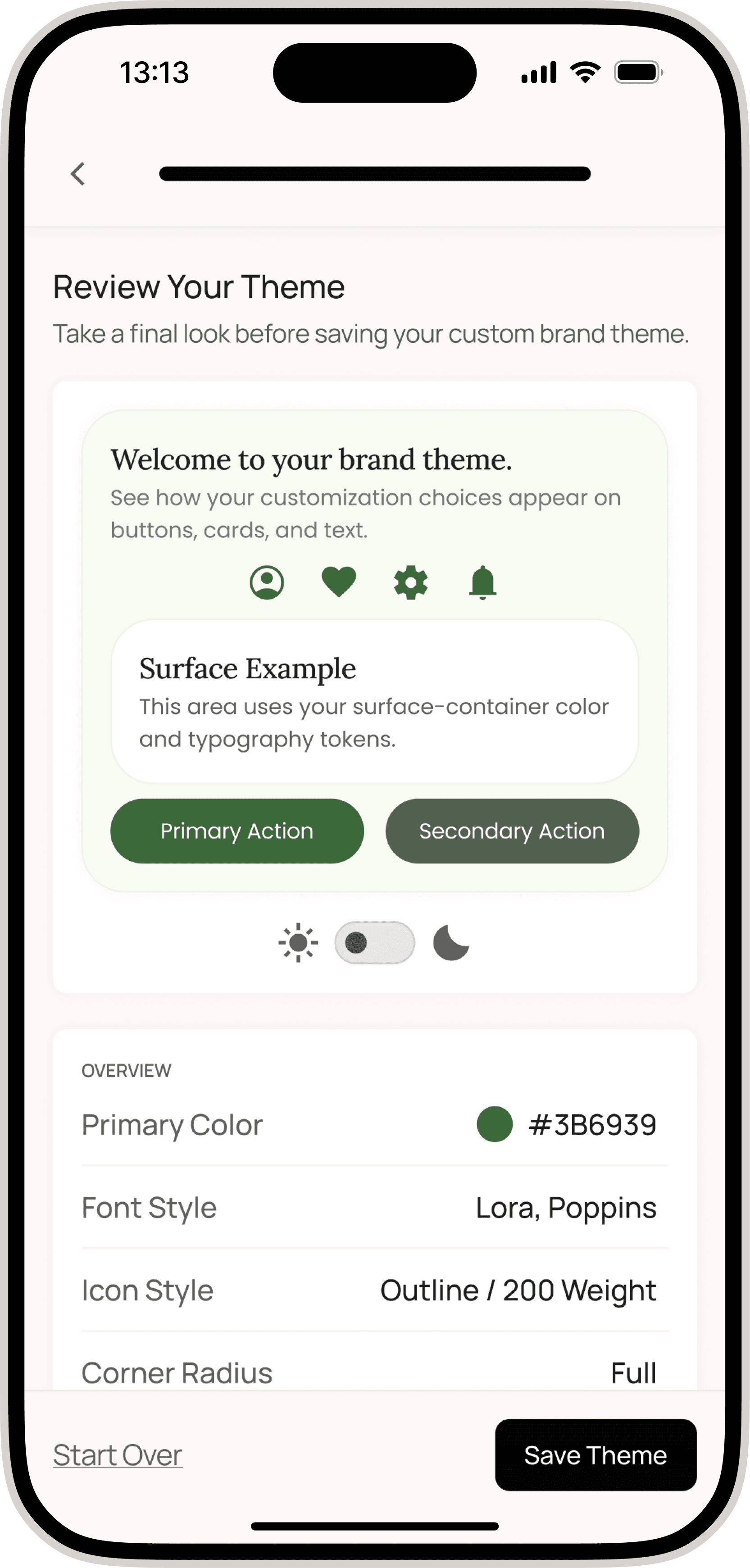
The Customization Journey
By combining guided themes, token-driven updates, and real-time previews, the system delivered a flexible yet dependable way to make each platform feel uniquely branded.
Key Outcomes
Faster Launch Cycles
Customization became self-service, reducing design and engineering involvement.
Confident Customization
Guided themes, previews, and accessibility cues empowered users without requiring design expertise.
Scalable Design Foundation
The tokenized structure supported a wide variety of brand expressions while maintaining cohesion.
Cross-Team Alignment
The shared system reduced handoffs between design and engineering, creating a single source of truth.
Reflection
This project reshaped my understanding of what real flexibility requires. True customization is not about offering endless choices, it is about creating thoughtful structure that supports expression responsibly. By embedding accessibility, constraints, and predictable logic into the foundation, we enabled creators to build something that felt personal while staying cohesive and usable across the Arcatar ecosystem.